How to track an album in a spreadsheet
By Ryan Whitten · Updated October 2, 2026
A spreadsheet is the right shape for tracking an album: one row per song, one column per step, and a color for each status, so you can see the whole project at once. I ran my own album from a sheet like this for years, and StudioTrackr is that sheet, turned into an app.
Here's how to set one up so it actually gets you to the end, and what it can't hold once the mixes and notes start arriving.
The spreadsheet is the home-studio version of an older idea: the studio whiteboard, with every song down one side and every part across the top. More on the whiteboard, and what comes after it →
How to set up an album tracker spreadsheet
Put songs down the side and steps across the top, in the order you actually do them. A typical home-recorded album looks something like this:
- Drums, Bass, Guitars, Keys
- Instrument editing
- Vocals, Harmonies
- Vocal editing
- Mix
- Ready for master
Then give each cell one of four colors: green for done, yellow for in progress, red for not done yet, and gray for a step the song doesn't need, like strings on the song with no strings. If the sheet gets too wide, split it into a tab per phase: producing, tracking, mixing and mastering.
Use it every day
The sheet only works as a habit. When you sit down, scan for red and yellow, and work on that. You never have to decide what to do tonight; the sheet already says. When a step is done, color it before you close the session.
Two things keep it honest. Only add a column for a step most songs need, because every column is a red cell on every song until you deal with it. And mark the steps a song doesn't need as gray straight away, so the red you see is real work.
What a spreadsheet can't hold
None of these is a flaw in the sheet. They're the parts of making an album that happen outside it.
The mixes
The sheet says "Mix: yellow". The mix itself is in a bounce folder full of Better Days mix 7 final FINAL.wav, or a Dropbox link, or an AirDrop you sent yourself, and which file is current is something you keep in your head.
The notes
Mix notes happen away from the desk: in the car, on headphones, in a text from the drummer. Mine lived in one iPhone note called "Mix notes", a heading per song, typed in the driveway. They didn't say which version or which second they meant, and they weren't next to the cell they affected.
Your phone
A wide color grid is hard to read on a phone, and a phone is where you listen.
The progress math
A percentage complete is a formula you build yourself, and it needs fixing whenever you add a column or gray out a step.
When a spreadsheet is all you need
If you're finishing a single or two, mixing it yourself in a pass or two, and checking it at the desk, a sheet is plenty. Songs, steps, four colors, and the daily scan will get it done.
The same sheet, as an app
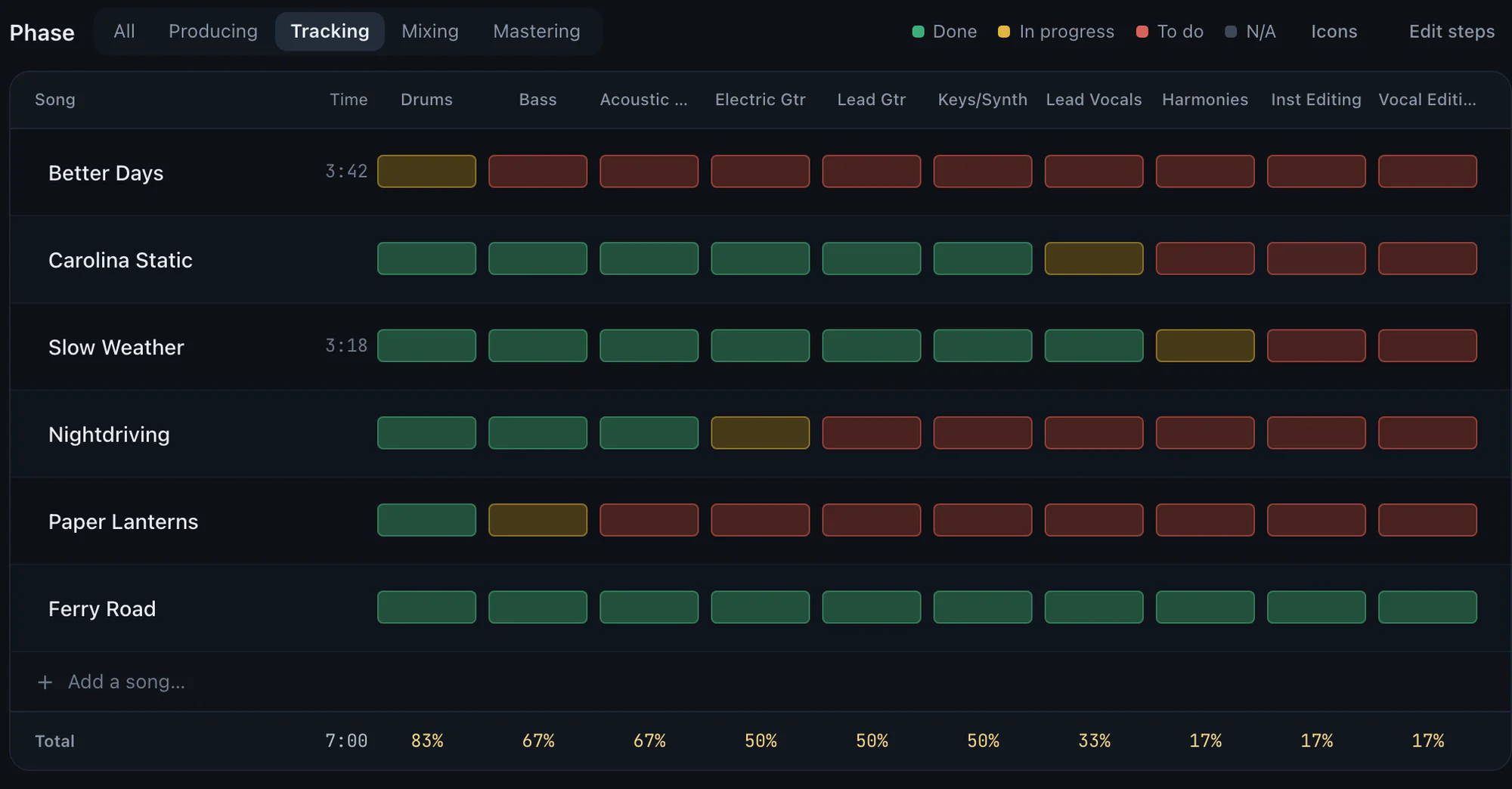
StudioTrackr's Studio Board is this spreadsheet: songs down the side, steps across the top, a color per status, a tab per phase, and the same daily scan. What the app adds is everything the sheet couldn't reach:
- Progress counts itself. Every percentage is steps done divided by steps counted, with the gray ones left out. Tap any number and it shows the math.
- It names the next move. Up Next suggests the one or two things that finish the phase you're in, then the notes waiting on your mixes.
- The mixes live on the song. Bounce into the song's folder and it's the next version, on your phone, before you leave the room. How that works →
- The notes live there too. A note from the car or a bandmate is pinned to the version and the second it's about, on the song's punch list.
The Free plan runs a whole EP, one project of up to four songs, so you can move a project across from your sheet and see how it feels.