How to get a mix from Cubase to your iPhone
By Ryan Whitten · Updated October 2, 2026
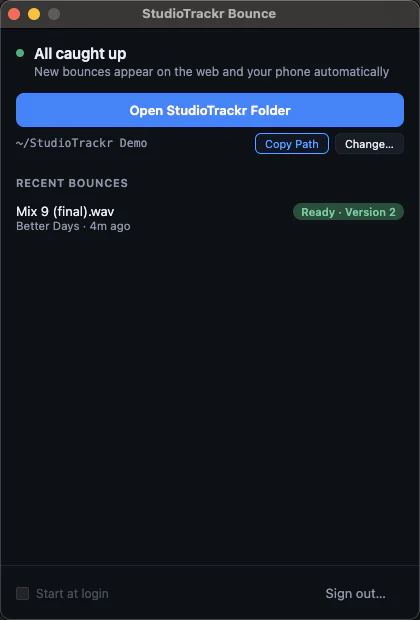
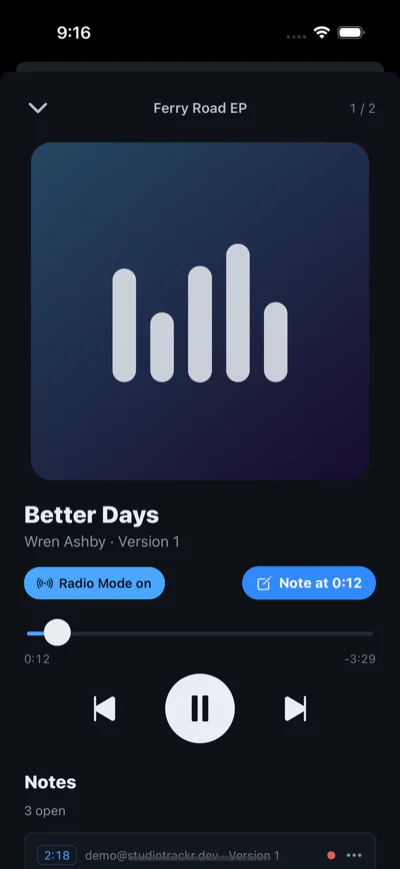
The quickest way to get a mix from Cubase to your iPhone is to export it into the song's folder in StudioTrackr Bounce for Mac. It uploads as that song's next version and plays on your phone, in album order with the rest of the project, before you've left the room.
Export the mix from Cubase
- Choose File > Export > Audio Mixdown.
- Export the main mix as Wave, 24-bit, at the project's sample rate.
- In File Location, type a name in the Name field, then use Path > Choose Folder to pick the song's folder inside your StudioTrackr folder.
- Click Export Audio.
Cubase tips
After the first time, the song's folder shows up under Recent Paths, so later bounces of the same song are two clicks. The Export Queue can line up several songs' mixdowns and run them together.
In a hurry, File > Quick Audio Export exports the main mix as a 24-bit WAV or an MP3 through an ordinary save dialog: save it into the song's folder and you're done.
What happens next
StudioTrackr Bounce sees the new file, uploads it as the song's next version, and it's on your iPhone, on the lock screen and in CarPlay. Filenames don't matter: the folder decides the song, and bouncing the same name twice gives you two versions, not one overwritten file. If the wifi drops, it keeps trying until the mix is up.
Listen, tap to leave a note at the second you hear something, and the note lands on the song's punch list for your next session in Cubase. How it works →
First time?
- Start a free StudioTrackr project and add your songs.
- Download StudioTrackr Bounce for Mac and sign in. It creates the StudioTrackr folder with a folder for each song.
- Install StudioTrackr on your iPhone from the App Store.
Comparing other ways to get a mix onto your phone, like Apple Music sync, AirDrop or Dropbox? How they stack up →